Meeting notes · Chrome extension
A meeting recorder that lives in Chrome.
The Muvero extension puts a Record button on the call page of seven meeting platforms. It records the others' voices and your microphone, names the speakers as the call shows them, and sends the recording to Muvero when the call ends.
What the extension does on a call.
- 01 / 03
A button on the call page
On Google Meet, Zoom, Microsoft Teams, Webex, Whereby, Jitsi and GoTo, a Record this meeting button appears. Any other tab can be recorded from the extension's menu.
- 02 / 03
Speakers and attendees by name
While it records, it notes the display names the call shows for the people speaking and for everyone attending. On Google Meet and Teams it also watches the call's own captions to see who is talking; their text never leaves the page.
- 03 / 03
Sent when the call ends
A few seconds after the call ends the recording stops by itself and goes to Muvero, where the transcript and the recap are made.
33 minutes · 4 people · mostly positive
Decisions
- Northwind starts on the Team plan in November.
- Their sales team joins first, marketing in December.
Action items
- Send the onboarding guide to Nina's team Ellen
- Set up the shared library for sales Mark
- Share the call platforms they use Nina
Open questions
- Does the data processing agreement need signing before the start?
Who spoke
- Nina
- 41%
- Ellen
- 33%
- Mark
- 18%
- Tom
- 8%
What it looks like in Muvero.
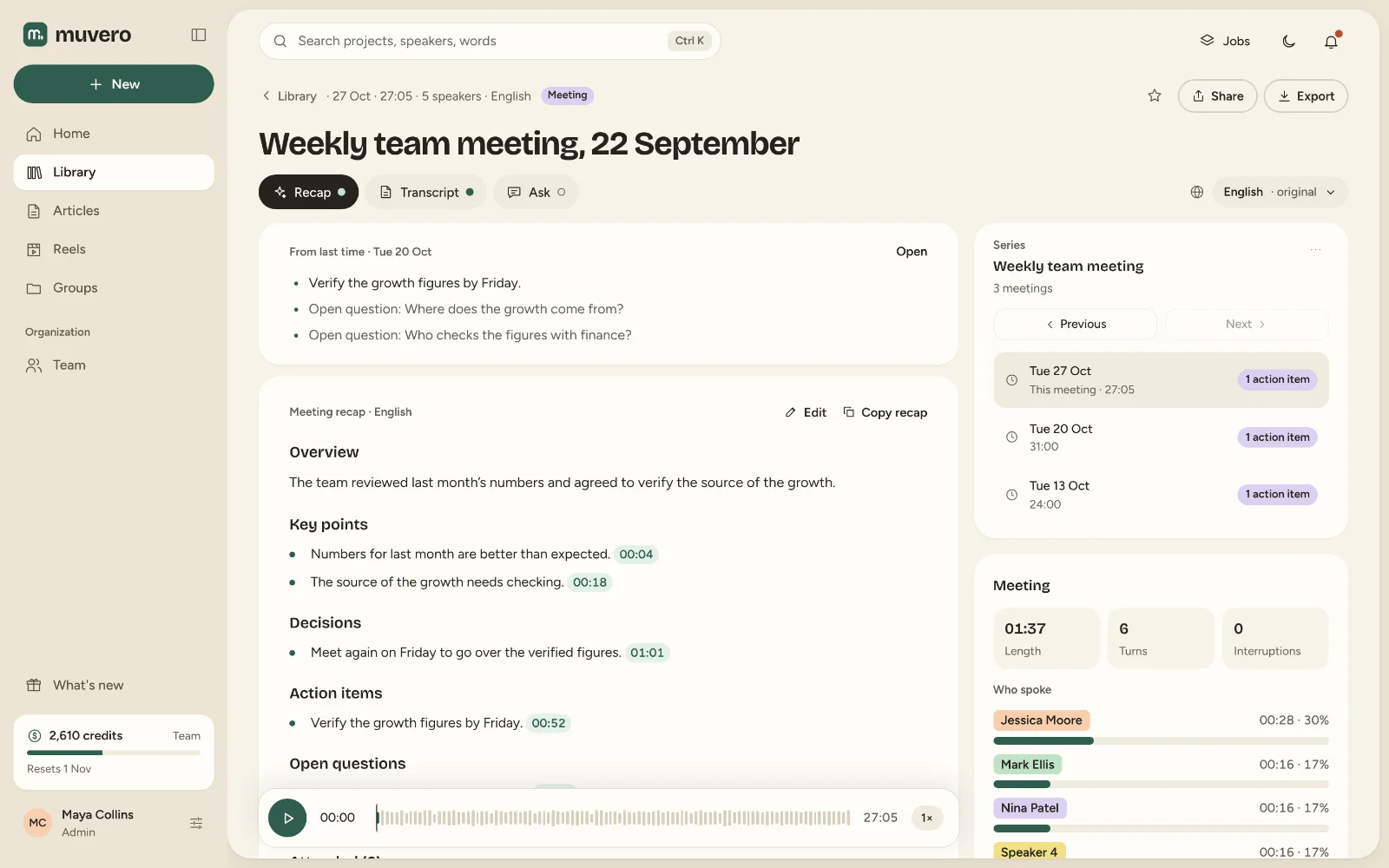
Built for the way you already meet.
Seven platforms, one button
The same Record button, wherever the call is. No per-platform apps or integrations to connect.Your defaults, once
The first time, it asks where to send the recap, in which language, and which transcription model to use. After that, one click.Nothing lost on the way
Recordings still being sent are kept until they reach Muvero, also when you update the extension, and you stay signed in.On every plan
The extension is included on every plan, Free included. You pay only the credits for transcription and the recap.
Install the Muvero Chrome extension
Muvero’s Chrome extension records a meeting from the call’s page: a Record this meeting button appears on Google Meet, Zoom, Microsoft Teams, Webex, Whereby, Jitsi and GoTo calls, and any other tab can be recorded from the extension’s menu. When the call ends, the recording goes to Muvero: the transcript, the speakers by name and the meeting recap, by email if you want it.
The extension is in the Chrome Web Store, so it installs in one click and Chrome keeps it up to date.
What you need
- Chrome or Microsoft Edge on a computer (Windows, macOS, Linux or ChromeOS). Phones and tablets can’t run extensions.
- A Muvero account.
- Calls joined in the browser. The Zoom and Teams desktop apps can’t be recorded; on their meeting links, choose Join from your browser (Zoom) or Continue on this browser (Teams).
Install
- Open Muvero in the Chrome Web Store and choose Add to Chrome, then Add extension. In Edge, allow extensions from other stores when it asks.
- Click the puzzle icon in the toolbar and pin Muvero, so its icon is always one click away.
Sign in and record
- Click the Muvero icon and sign in with your Muvero email and password.
- Allow the microphone when asked, so your own voice is in the recording.
- Join a call. Click Record this meeting on the call’s page, confirm that everyone knows it is being recorded, and start. The first time, the extension asks for your defaults: the recap email, its language and the transcription model.
- When the call ends, the recording stops by itself a few seconds later (or press Stop) and is sent to Muvero. You’ll find it in your Library.
Updates
Chrome updates the extension by itself. You stay signed in, and your settings and recordings that are still being sent are kept.
If you installed it by hand before
Before the extension was in the Chrome Web Store, it was added from a downloaded folder. That copy doesn’t update itself. To move to the store version:
- Wait until no recording is still being sent (the extension’s menu shows them).
- Open
chrome://extensions(edge://extensionsin Edge) and choose Remove on the Muvero card that says it was loaded unpacked. You can then delete its folder and turn off Developer mode. - Install it from the store as above and sign in again.
If your company blocks extensions
On a computer managed by your company, extensions may need IT’s approval. Ask your IT team to allow Muvero from the Chrome Web Store. Meanwhile, you can record a call from Muvero itself: New project → Record, then pick the call’s tab and tick Share tab audio.
Your data
The extension records only the tabs you start it on, after you confirm that everyone in the meeting knows: their sound and, with Record video on, their picture. While it records a call, it reads the names the call shows (to name the speakers and list who attended) and the call’s own mute and leave buttons, nothing else on the page. Recordings go only to your Muvero account. See our Privacy Policy.
Asked often. Answered here.
Which browsers does it work in?
Chrome and Microsoft Edge on a computer: Windows, macOS, Linux or ChromeOS. Phones and tablets cannot run extensions.
Is it in the Chrome Web Store?
Yes. Add it from the Chrome Web Store in one click, and Chrome keeps it up to date. If you added it by hand before it was listed, remove that copy and install it from the store; the steps are below.
What does the extension read on the call page?
Only the display names of the people speaking, when they speak, and the names of everyone the call shows, to name the speakers and list who attended. It reads nothing else the call shows.
Can it record the Zoom or Teams desktop apps?
The extension records calls in the browser. For calls in the Zoom, Teams, Webex or GoTo Meeting apps, use Muvero for desktop on Windows; it records the computer's sound and your microphone, and with Record video on the call app's window.
How do I update it?
Chrome updates it by itself, from the Chrome Web Store. You stay signed in, and recordings still being sent are kept.