Meeting notes · For every team
AI meeting notes, with no bot in the call.
Muvero records your call from your browser tab or your computer, so nobody new joins the meeting. Minutes after it ends, the recap is in your inbox: an overview, the decisions, action items with who owns them and the open questions, in the meeting's language or one you choose.
From the call to the recap in three steps.
- 01 / 03
Press Record on the call page
Join Google Meet, Zoom, Microsoft Teams, Webex, Whereby, Jitsi or GoTo in Chrome or Edge. The extension adds a Record button to the call page and records the others' voices with your microphone.
- 02 / 03
Get the recap by email
When the call ends, the recording goes to Muvero. The transcript names the speakers as the call showed them, and the recap follows: overview, decisions, action items with owners, open questions.
- 03 / 03
Find anything later
Every meeting stays in your library with its transcript, talk time and highlights. Ask a question across a meeting and the answer comes back with the moments it draws on.
33 minutes · 4 people · mostly positive
Decisions
- Northwind starts on the Team plan in November.
- Their sales team joins first, marketing in December.
Action items
- Send the onboarding guide to Nina's team Ellen
- Set up the shared library for sales Mark
- Share the call platforms they use Nina
Open questions
- Does the data processing agreement need signing before the start?
Who spoke
- Nina
- 41%
- Ellen
- 33%
- Mark
- 18%
- Tom
- 8%
What it looks like in Muvero.
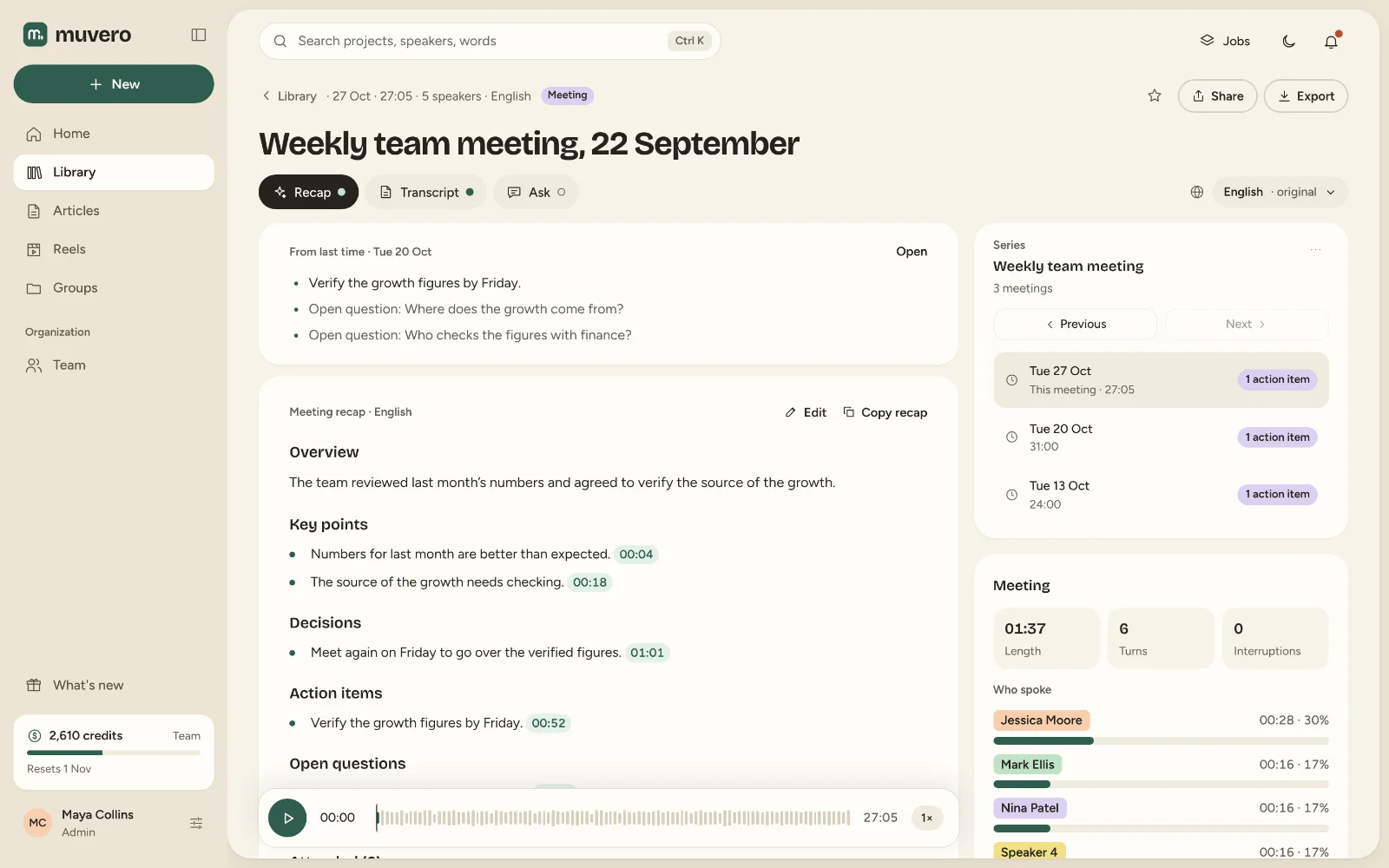
Recaps, decisions and action items, with no bot in the call.
- Google MeetRecord Meet in Chrome and get the recap by email.
- ZoomNotes and transcripts for Zoom calls in the browser.
- Microsoft TeamsTeams meeting transcripts without adding a bot.
- Chrome extensionA Record button on seven call platforms.
- Desktop appRecord Zoom and Teams calls in their own apps, on Windows.
- Muvero in ClaudeSearch and use your recordings from a Claude chat.
Meeting notes that do not change the meeting.
No bot, no extra guest
Nobody has to admit a notetaker, and the people you meet never see a stranger in the participant list. You record, as you would take notes yourself.Made for Serbian and its neighbours
Muvero transcribes 99 languages and is made for Serbian, Croatian, Bosnian and Slovenian as much as for English. The recap can be written in a language other than the meeting's.You decide who gets the recap
The recap comes to you first. Edit it, then send it to everyone, to a few people, or to yourself alone.Paid per minute, not per seat
Transcription costs 1 credit per minute and the recap 5 credits per hour of recording, from the credits every plan includes. A teammate who joins the call does not need a seat.
Asked often. Answered here.
Does a bot join the meeting?
No. Muvero records the call from your own browser tab or, with the desktop app, from your computer's sound, so nobody new appears in the call. Let the others know you are recording; Muvero asks you to confirm that before it starts.
Which meeting platforms does it work with?
In the browser, with the Chrome extension: Google Meet, Zoom, Microsoft Teams, Webex, Whereby, Jitsi and GoTo, in Chrome or Microsoft Edge. In desktop apps on Windows, with Muvero for desktop: Zoom, Teams, Webex and GoTo Meeting, plus Slack, Discord and WhatsApp calls if you turn them on. A recording you already have can always be uploaded.
Can I record the Zoom or Teams desktop app?
Yes, with Muvero for desktop on Windows (a Mac version is coming): when a call starts in Zoom, Teams, Webex or GoTo Meeting, a small window at the edge of the screen offers to record. The Chrome extension covers calls in the browser.
What is in the recap?
An overview, the decisions, action items with who owns them and the open questions. The meeting's Recap tab adds talk time and turns per person, interruptions, the mood and the highlights, each a click away from the moment it was said.
How long until the recap arrives?
Usually a few minutes after the call ends; a longer meeting takes a little longer. You get an email when it is ready.
How much does a meeting cost?
A 30-minute meeting on Standard transcription is 30 minutes at 1 credit per minute, plus 5 credits for the recap. The cost is shown before anything runs, and a failed job is refunded.