Meeting notes · AI note taker
An AI note taker that never joins the call.
Most AI note takers send a bot into your meeting. Muvero records from your own browser tab, so the people you meet see only each other. When the call ends, the notes are in your inbox: an overview, the decisions, action items with owners and the open questions.
Notes without taking notes, in three steps.
- 01 / 03
Record from your tab
Press Record on Google Meet, Zoom, Teams, Webex, Whereby, Jitsi or GoTo in Chrome or Edge. For a meeting in a room, record it on your phone and upload the file.
- 02 / 03
Listen instead of typing
Muvero transcribes the whole meeting with the speakers by name, so nobody has to write while others talk.
- 03 / 03
Get the notes
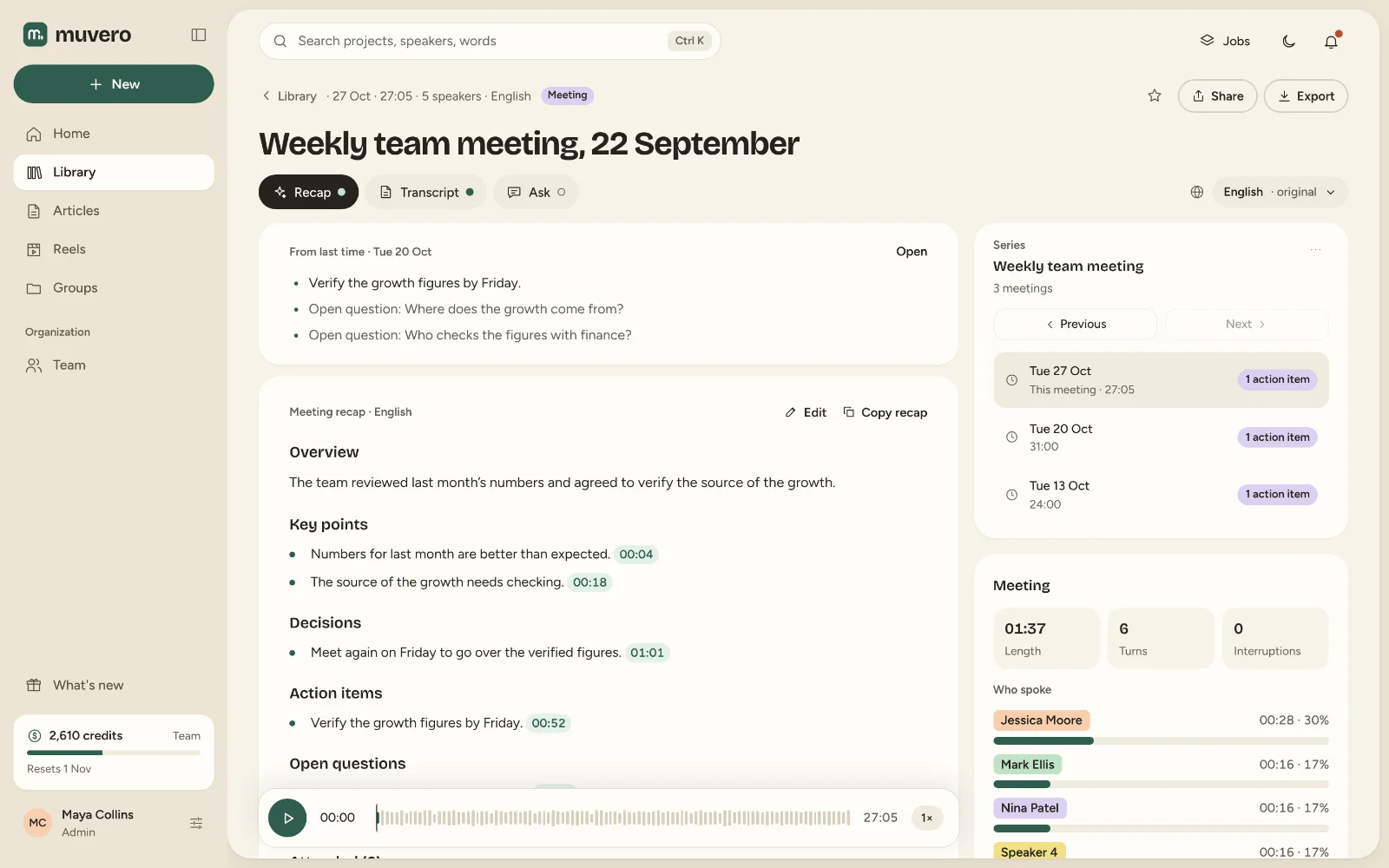
Minutes after the call: the overview, the decisions, action items with owners and the open questions, editable before anyone else sees them.
33 minutes · 4 people · mostly positive
Decisions
- Northwind starts on the Team plan in November.
- Their sales team joins first, marketing in December.
Action items
- Send the onboarding guide to Nina's team Ellen
- Set up the shared library for sales Mark
- Share the call platforms they use Nina
Open questions
- Does the data processing agreement need signing before the start?
Who spoke
- Nina
- 41%
- Ellen
- 33%
- Mark
- 18%
- Tom
- 8%
What it looks like in Muvero.
What a note taker should do, and what it should not.
Not be a guest
No extra participant to admit, explain or block. The meeting stays the meeting you planned.Work where you meet
Seven call platforms in the browser, the Zoom and Teams apps on Windows, and uploads for in-person meetings and phone calls, up to 4 GB a file.Speak your language
99 languages, made for Serbian, Croatian, Bosnian and Slovenian as much as for English; the notes can be in a language other than the meeting's.Answer questions later
Ask a meeting what was decided or who owns what, and every answer points to the moment it was said.
Asked often. Answered here.
What is an AI note taker?
A tool that records a meeting, transcribes it and writes the notes for you: the decisions, the action items and the open questions. Muvero does this from a recording you make in your browser, not with a bot in the call.
Do I need to invite anything to the meeting?
No. There is nothing to invite or admit. Let the others know you record; the extension asks you to confirm that before it starts.
Does it work for in-person meetings?
Yes. Record the meeting on a phone or a recorder and upload the file; the notes are the same as for a call.
Is it free to try?
The Free plan starts with a 14-day trial with 300 credits and needs no card. The extension and meeting notes are on every plan.
Does Muvero join calls from my calendar?
No. A person presses Record, so only the meetings you choose are recorded.