Transcript
Who said what, and when.
Content studio · For marketing and media
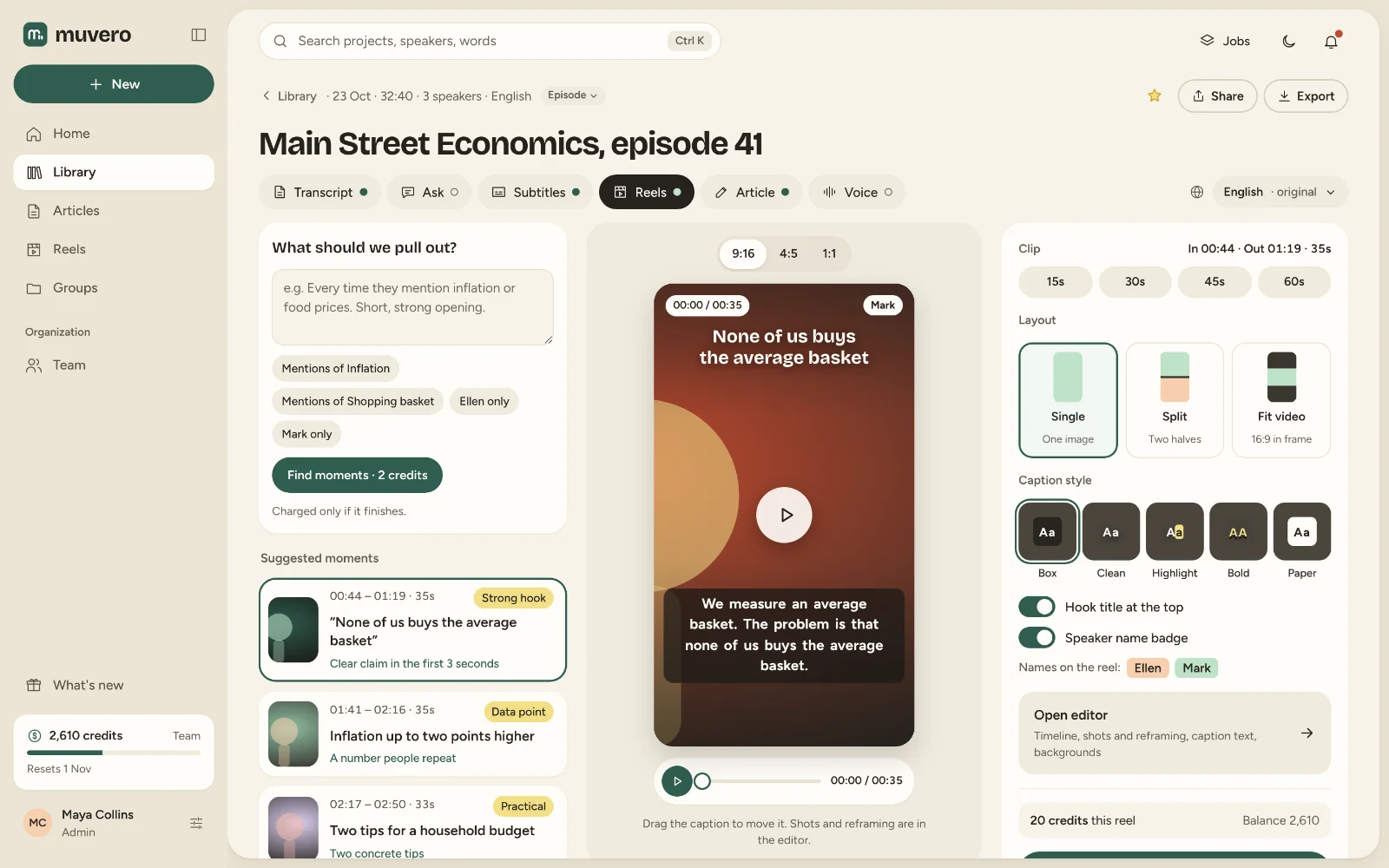
For marketing teams first, and for media teams and creators: upload a webinar, an interview or an episode once. Muvero makes a transcript with speakers, subtitles timed to the word, reels up to 3 minutes, an article written from what was said and a voice-over, all in one project you can edit.
Drop an audio or video file up to 4 GB, paste a link to it, or record in the browser. Muvero detects the language.
Pick Standard or Advanced transcription. The credit cost and your balance afterwards are shown before anything starts.
Subtitles, reels, an article, a summary and a voice-over all start from the same transcript. Switch the language once and every format follows.
Who said what, and when.

A transcript with speakers and timestamps, SRT and VTT subtitles or a video with them burned in, reels up to 3 minutes in 9:16, 4:5 and 1:1, an article of about 1,200 words, a summary with topics and chapters, a translation, and a voice-over.
Transcripts, subtitles, summaries, translation and Ask are on every plan, Free included. Reels, video export, articles and voice-overs start with the Creator plan.
Yes. The transcript, the subtitles, the article and the recap are all editable, and each reel has an editor with a timeline, shots, reframing and caption text.
MP3, WAV, M4A, AAC, OGG, FLAC, MP4, MOV, MKV, WebM and AVI, up to 4 GB, or a link to the file, including Dropbox and Google Drive share links.