Skip to content
Muvero
01:00How it works

From an interview to notes in three steps.

  1. 01 / 03

    Record or upload

    Record the video call from your browser or the desktop app, or upload the recording of an in-person interview.

  2. 02 / 03

    Read the summary

    Key points, the questions asked and the topics covered, next to the full transcript.

  3. 03 / 03

    Compare candidates

    Ask each interview the same questions and play the moments back before the hiring decision.

Transcript

Who said what, and when.

00:04MarkGood evening, this is Main Street Economics, episode 48.
00:11EllenTonight we are talking about rents in the city.
00:17MarkRents went up almost seventy percent in five years.
00:26EllenAnd wages have not come close to keeping up.
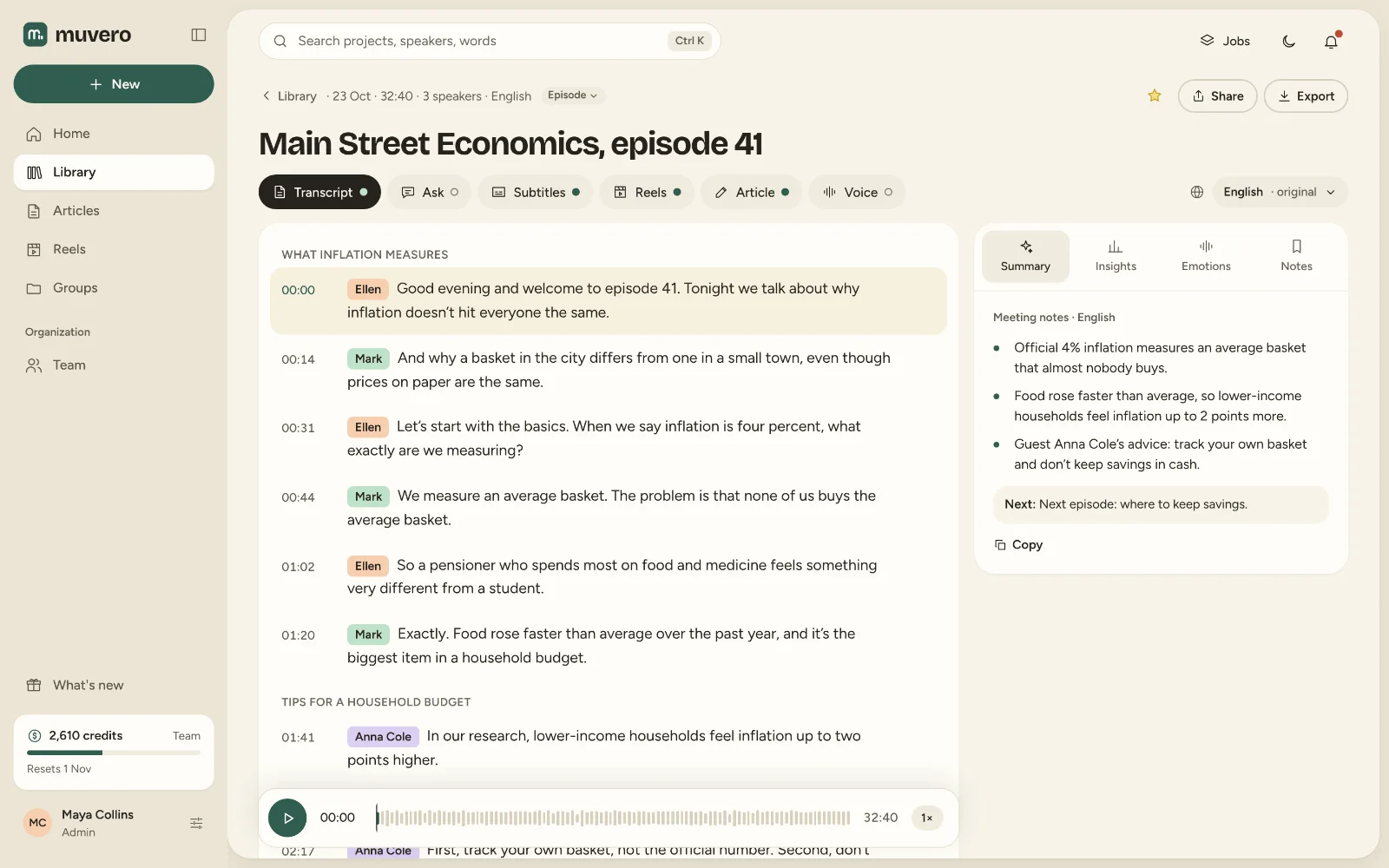
02:00In the app

What it looks like in Muvero.

A podcast transcript in Muvero with speakers by name and timestamps, next to the episode's summary.
A transcript with speakers by name, and the summary beside it. Demo data.
03:00Why Muvero

Built for interviews with people outside your company.

52:14End of recording

Your next recording is already more than a recording.