Use cases · Managers and teams
Notes for 1:1s, stand-ups and team meetings.
Run the meeting and skip the minutes. Record your 1:1s, stand-ups and all-hands from the browser or the desktop app. Minutes after the meeting, the recap is in your inbox with the decisions, the action items and who owns them, ready to send to the people who could not be there.
From a team meeting to everyone in the loop.
- 01 / 03
Record the meeting
Press Record on the call page, or let the desktop app offer it when a Zoom or Teams call starts. For a meeting in a room, record on your phone and upload.
- 02 / 03
Check the recap
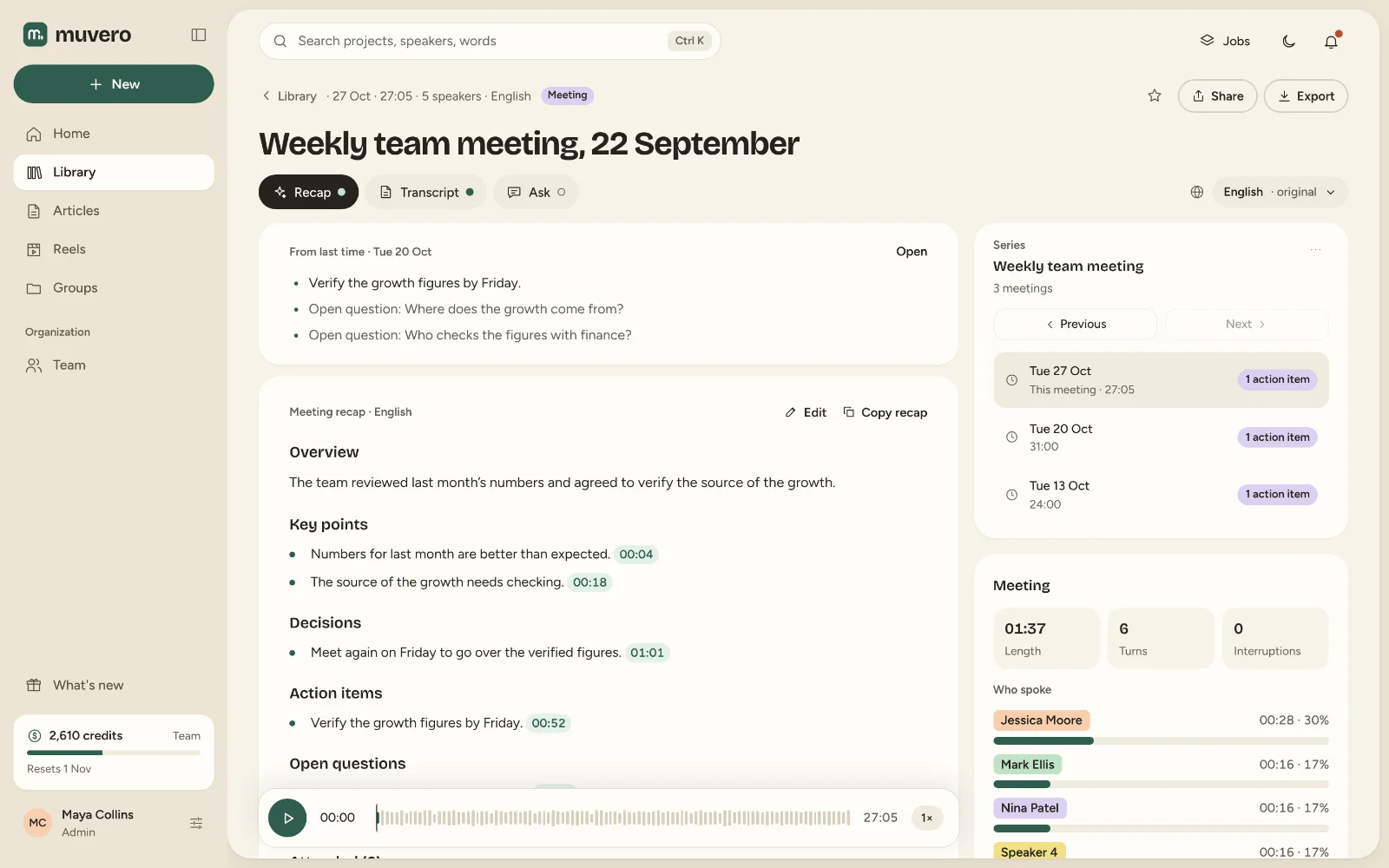
The overview, the decisions, action items with owners and the open questions, editable before anyone else sees them.
- 03 / 03
Send it on
Send the recap to everyone, to the people who missed the meeting, or to yourself alone.
You: What did we agree with the sponsor?
Muvero: The spring sponsor read moves to April 14:32, and Nina sends them the April plan by Wednesday 27:05.
You: Why can’t young people buy a flat?
Muvero: Most flats go to buyers who pay in cash 18:40, and most young people can’t get a mortgage 23:16. The guests propose support for first-time buyers 41:12.
What it looks like in Muvero.
Why managers record with Muvero.
Listen instead of typing
Muvero transcribes the whole meeting with the speakers by name, so you can pay attention to the person in front of you.Who owns what
Action items come with an owner, and every point links to the moment it was agreed.How the meeting went
The Recap tab shows talk time and turns per person, interruptions and the mood, so you see who got heard.Paid per minute, not per seat
Transcription costs 1 credit per minute and the recap 5 credits per hour of recording. The people in the meeting do not need a seat.
Asked often. Answered here.
Does a bot join our meetings?
No. Muvero records from your own browser tab or, with the desktop app on Windows, from your computer's sound. Let the others know you record; Muvero asks you to confirm that before it starts.
Is a 1:1 kept private?
Yes. A recording is in your own library; others see it only if you share it into a group or send a read-only link.
Can I ask about past meetings?
Yes. Ask a meeting what was decided or who owns a task, and every answer points to the moment it was said.
Does it record every meeting in my calendar?
No. A person presses Record, so only the meetings you choose are recorded.