Meeting notes · Microsoft Teams
Teams meeting transcription without adding a bot.
Open the Teams meeting in your browser, press Record, and Muvero records the call from the tab. No bot asks to join, and nobody has to change a Teams policy. After the call you get the transcript and a recap with who owns which action item.
Transcribe a Teams meeting in three steps.
- 01 / 03
Continue on this browser
On the Teams meeting link, choose Continue on this browser in Chrome or Edge. The Muvero extension puts a Record button on the call page.
- 02 / 03
Record the meeting
Confirm that the room knows, and start. The extension records the meeting audio and your microphone and notes the names Teams shows for each speaker.
- 03 / 03
Share the recap
The recap comes to you first. Edit it if you like, then send it to everyone who attended, or keep it to yourself.
33 minutes · 4 people · mostly positive
Decisions
- Northwind starts on the Team plan in November.
- Their sales team joins first, marketing in December.
Action items
- Send the onboarding guide to Nina's team Ellen
- Set up the shared library for sales Mark
- Share the call platforms they use Nina
Open questions
- Does the data processing agreement need signing before the start?
Who spoke
- Nina
- 41%
- Ellen
- 33%
- Mark
- 18%
- Tom
- 8%
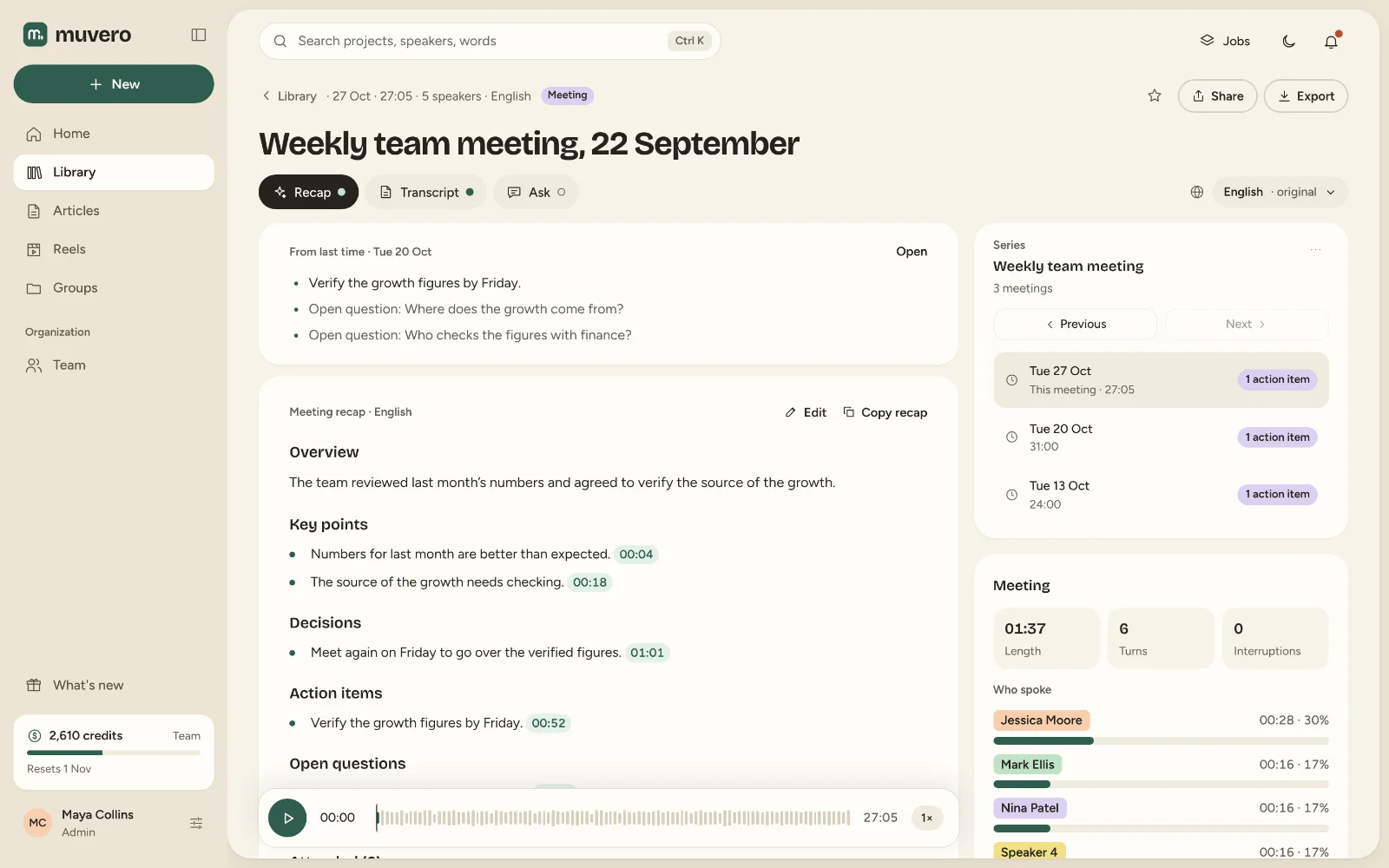
What it looks like in Muvero.
Why teams record Teams with Muvero.
No IT ticket for a bot
Many companies block third-party bots from Teams meetings. Muvero is not a participant, so there is nothing to approve in Teams.Recaps people actually read
An overview, the decisions, action items with owners and the open questions. Short enough for an email, linked to the moments in the recording.A record of every meeting
Search across meetings later, or ask a question and get the answer with the moments it comes from.A data processing agreement
Business and Enterprise plans come with an onboarding call and our data processing agreement, for companies that process recordings of others.
Asked often. Answered here.
Does it work in the Teams desktop app?
Yes, with Muvero for desktop on Windows: it offers to record when a Teams call starts, with no bot and nothing to approve in Teams. In the browser, the Chrome extension does the same. A recording you already have can be uploaded.
Does our IT team have to allow anything?
Only the extension itself, from the Chrome Web Store. On a managed computer, IT may have to allow it.
Can I use Teams' own transcript instead?
Yes: upload the meeting recording and Muvero makes its own transcript and recap from it, in 99 languages.
Who receives the recap?
You do, first. From there you decide: send it to the people who attended, to a few addresses, or to nobody.
Is our meeting content used to train AI?
No. We do not use your content to train AI models, and it stays until you delete it.